
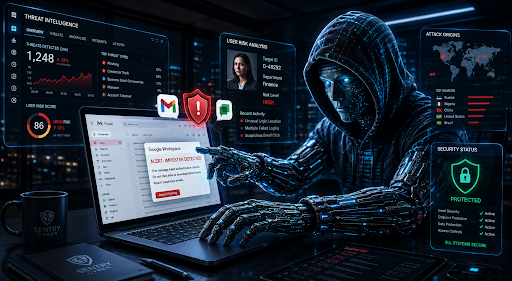
At 1:13pm on a Friday, a Melbourne business owner got a call from her accountant. Someone had just tried to lodge a $50,000 tax return in her name. It wasn’t her. It was Identity theft from a compromised Gmail account.
The trail led back at least 6 months. The business owner had clicked a phishing link. From there, a threat actor slipped quietly into the company’s Google Workspace account.
For a number of months, the attacker read emails and dug through Google Drive. Slowly, they pieced together enough personal information to convince the ATO they were dealing with the real business owner. Nobody noticed, until the accountant’s phone call arrived just in time.
Unfortunately, that’s the part that should worry every business owner reading this.
A Google Workspace account compromise rarely looks like the movies. In fact, there’s no flashing warning screen or ransom note on day one. Most attackers prefer to stay hidden, quietly gathering information for weeks or sometimes months before they strike. So the real question isn’t whether someone will try to break in. It’s whether you’d know if they already had.
This guide walks through the clearest warning signs of a Google Workspace account takeover. You’ll learn how to set up alerts that catch it early. We’ll also cover what to do if your environment has already been compromised.
Why a Google Workspace Account Compromise Is
More Common Than You Think
Unauthorised access to Google Workspace isn’t a rare event reserved for large corporations. It happens to small and medium Australian businesses every single day, often without anyone noticing for weeks.
The Australian Signals Directorate publishes an Annual Cyber Threat Report each year. In its 2024–25 report, the ACSC received over 84,700 cybercrime reports, roughly one every six minutes. The average self-reported cost of cybercrime for a small business now sits at $56,600. That’s up 14% on the year before.
Here’s the statistic that matters most for this article. Of the top cybercrimes reported by Australian businesses, email compromise resulting in no financial loss made up 19% of reports. Business email compromise fraud resulting in financial loss made up another 15%. Identity fraud, like the ATO scenario above, accounted for 11%.
Add those first two figures together. More than one in three cybercrime reports lodged by Australian businesses relates directly to email or account compromise. According to the Annual Cyber Threat Report 2024–25, it’s the single biggest category of cybercrime Australian businesses report. In short, it isn’t phishing in general you need to worry about. It’s what happens after someone clicks, and how fast you can catch a Google Workspace account compromise in progress.
How Threat Actors Operate Once They’re Inside
Here’s something most business owners don’t expect. Threat actors rarely strike the moment a Google Workspace account compromise begins.
Instead, they wait, sometimes for weeks and sometimes for months. During that time, they’re not doing anything dramatic. Mostly, they’re reading and quietly learning your business: your relationships, your invoicing patterns and your writing style.
For instance, expect them to comb through years of email history. They’ll search Google Drive for anything valuable, including passwords, customer databases or scanned copies of passports and driver’s licences. Internal chat threads get checked too, for context they can use later.
Unfortunately, Google’s own AI tools have made this easier for attackers, not just for staff. Once inside, a threat actor can simply ask Gemini to find files containing passwords, or locate your customer database. What used to take hours of manual searching now takes seconds.
This is exactly why AI-aware security matters just as much as traditional account security. If your business is rolling out Gemini or other AI tools, it’s worth having that setup properly assessed. Our AI Security & Risk Assessment Services are built specifically for this growing risk.
The Clearest Signs of a Google Workspace Account
Compromise555
So how do you actually catch this early? Here are the signals worth building into your routine, starting with the easiest to set up.
Suspicious Login Alerts From Google
Google automatically flags sign-ins that don’t match a user’s usual behaviour. This might be a login from an unfamiliar location or an unrecognised device. When it happens, an alert lands in the affected user’s inbox, and yours too, if you’ve set it up correctly.
A typical alert looks something like this:
Setting this up as an admin only takes a few minutes. Head to your Google Admin console, go to Rules, and turn on email notifications for the suspicious login rule. From there, choose who on your team should be notified. Make it a shared inbox or a small group. Avoid relying on just one person who might be on leave when it matters most. Google’s own support guide walks through every setting if you want the full detail.
One important warning: threat actors know these alerts exist too. They’ll sometimes send fake versions to trick you into clicking a malicious link. A genuine Google alert will always come from [email protected]. If you’re ever unsure, don’t click anything in the email. Log into your Admin console directly instead.
Check “Last Account Activity” in Gmail
Gmail has a simple, often-overlooked feature called last account activity. Scroll to the bottom of any Gmail inbox and click “Details.” You’ll see a list of recent sign-ins, including location, device and time.
So, look for anything unusual. Are there logins from countries you don’t do business in? What about multiple IP addresses within a short window, or access at 3am when nobody’s awake?
That said, keep in mind that experienced threat actors often use a VPN to disguise their real location. Sometimes, it can even look like they’re signing in from Australia. This check is useful, but don’t rely on it alone.
Turn On the Right Alert Centre Rules
Google Workspace’s Alert Centre includes dozens of pre-built rules, but most businesses never turn them on. That’s a missed opportunity. Many of these rules point directly at the early stages of a Google Workspace account compromise.
At a minimum, we recommend enabling email notifications for:
- Suspicious login and suspicious programmatic login
- Leaked password
- User’s password changed
- User granted admin privilege
- Device compromised
- User suspended due to suspicious activity
- Phishing message detected post-delivery
- Rate-limited recipient, often a sign of outbound spam from a hijacked account
- Vault accelerated deletion initiated
- Admin password reset
Importantly, set every rule to notify your IT or security team by email, not just to log silently in the background. An alert nobody reads isn’t much better than no alert at all.
Set Custom Alerts for Unusual Behaviour
Beyond the built-in rules, Google Workspace lets you create custom alerts based on your own thresholds. Overall, these are especially useful for catching data theft while it’s still happening.
For example, set an alert to trigger if a single user downloads 100 or more files within an hour. That kind of activity is unusual for genuine daily work. It’s exactly what you’d expect to see during a data exfiltration attempt, though.
You should also monitor for new API connections or third-party app authorisations, particularly ones with access to Drive or Gmail. Migration and export tools are a favourite among attackers looking to pull data out of your environment quickly.
How to Reduce the Risk of a Google Workspace
Account Compromise
Detecting a breach quickly matters, but preventing one in the first place matters more. Here are the controls we recommend to every client, based on what actually stops attacks in the real world.
- Use a secure email gateway. Over 90% of attacks start with a phishing email reaching an inbox. A solution like IronScales adds a layer of filtering before threats ever land in front of your team.
- Enforce MFA properly. Multi-factor authentication helps, but not all methods are equal. Avoid SMS and phone-call verification where possible. Use an authenticator app or a hardware security key instead.
- Protect high-risk accounts with Advanced Protection. Super admins and C-suite accounts are the most valuable targets in your business. Google’s Advanced Protection Program adds extra safeguards for these high-risk users.
- Limit how data leaves your environment. Disable Google Drive sync, POP and IMAP access where you can. Keep staff working through the browser instead.
- Turn off automatic forwarding to external addresses. This is one of the most common ways attackers quietly maintain access to a mailbox after a password reset.
- Set up context-aware access. Restrict logins to approved devices or locations, so a stolen password alone isn’t enough to get someone in.
- Use the Google Credential Provider for Windows. Pair this with non-admin local accounts for staff, so a compromised device doesn’t hand over the keys to everything else.
- Invest in proper endpoint protection. A good RMM platform closes off many of the paths attackers rely on. Look for one with EDR or MDR, ransomware prevention and consistent patch management.
- Train your team, then keep training them. Run regular cyber awareness training and ongoing phishing simulations. Most breaches still start with one click, so this remains one of the highest-value investments you can make.
Centralise Your Logs with a SIEM
Here’s a problem most businesses don’t discover until they’re investigating a Google Workspace account compromise. Google Workspace doesn’t keep your logs forever.
For instance, most log types, including Drive, OAuth and Admin activity, are only retained for six months. Gmail log events are even more limited, kept for just 30 days. That’s a serious gap, given attackers often stay hidden for six weeks or more before acting, as we covered earlier.
Picture this: you finally spot a suspicious login eight weeks after a Google Workspace account compromise began. By then, the Gmail logs showing exactly what the attacker read, forwarded or deleted have already expired. You’re left trying to scope the incident with half the evidence already gone. That makes it far harder to work out who was affected.
This is exactly why we recommend forwarding your Google Workspace logs into a centralised platform. It’s often called a SIEM, short for Security Information and Event Management. A SIEM pulls logs out of Google Workspace continuously and stores them for as long as you need. That’s well beyond Google’s own limits. Google’s own SecOps platform is a natural fit for Workspace environments. Tools like Splunk work well too, especially if you’re already centralising logs from other systems.
Beyond extending retention, a SIEM gives you one place to search across every service at once. If an incident does happen, that history helps you trace exactly what happened. You’ll also be able to work out who might be impacted, instead of piecing it together from whatever logs happened to survive.
Setting this up properly takes some planning. That said, it’s exactly the kind of gap our log monitoring and SIEM setup service is built to close.
Together, these controls sit within the Essential Eight & SMB1001 frameworks from the Australian Cyber Security Centre. It’s the baseline every Australian business should be working towards. Not sure where your business currently stands? Sentry Cyber runs a heavily discounted $99 Essential Eight assessment for new customers.
Also, for a broader review of your setup, our Google Workspace security services cover configuration hardening, backups and ongoing support. That way, prevention doesn’t rely on any single control working perfectly.
What to Do If You Suspect a Google Workspace
Account Compromise
If you notice any of the warning signs above, speed matters more than anything else. Here’s what to do first.
- First, reset the affected user’s password, through the Admin console rather than asking the user to do it themselves.
- Force a sign-out of all active sessions. This revokes every login token, web, mobile and connected app, in one move.
- Review connected third-party apps for that account. Remove anything you don’t recognise or can’t verify.
- If the account had admin privileges, treat this as a wider incident. The compromise may affect other parts of your environment, not just the one mailbox.
- If files were deleted or altered, a reliable backup makes recovery far simpler. You won’t need to rely on Google’s standard retention windows alone.
- Bring in specialist help for the investigation. Digital forensics can feel overwhelming to run internally, especially while you’re also trying to keep the business running.
Our incident response team handles exactly this kind of situation. That includes containment, a full forensic investigation, and the reporting you may need for cyber insurance or regulatory obligations.
How Sentry Cyber Can Help
Sentry Cyber is Australia’s only dedicated cybersecurity consultancy focused exclusively on Google Workspace. A Google Workspace account compromise is one of the most common incidents we investigate.
Depending on where your business is at, we can help with:
- A vulnerability assessment to identify weaknesses before an attacker does
- Penetration testing to test your defences under real-world conditions
- Ongoing cyber security monitoring so alerts actually get seen and actioned
- Compliance and certification support, including alignment with the NIST Cybersecurity Framework
- Cyber awareness training to help your team recognise threats before they click
- Security consulting for businesses that want an ongoing partner rather than a one-off engagement
Want a clearer picture of where your Google Workspace security stands today? Start with a security assessment, or download our free Google Workspace Security Playbook to work through the basics yourself.
Frequently Asked Questions
What are the warning signs of a Google Workspace account
compromise?
The clearest signs include suspicious login alerts from Google, and sign-ins from unfamiliar countries or devices. Watch for unexpected changes to email filters or forwarding rules too, plus alerts like “leaked password” or “suspicious login.” If several appear together, treat it as a genuine compromise until proven otherwise.
How long do attackers typically stay hidden after a breach?
It varies, but weeks to months is common. Attackers often prefer to observe quietly, learning how your business communicates before acting. This is why regular monitoring matters as much as strong passwords. Prevention alone won’t catch an attacker who’s already inside.
Can multi-factor authentication fully prevent a Google
Workspace account compromise?
MFA significantly reduces the risk, but it still isn’t foolproof. SMS-based MFA can be bypassed through SIM swapping or phishing kits that intercept codes in real time. For stronger protection, use an authenticator app or a hardware security key. Enrol high-risk accounts in Google’s Advanced Protection Program too.
How do I set up alerts for suspicious activity in Google
Workspace?
As an admin, go to your Google Admin console and open Rules. Then turn on email notifications for the events that matter most, including suspicious logins, leaked passwords and admin privilege changes. Send these to a shared inbox or team, not a single person, so nothing gets missed.
What should I do first if I think my account has been compromised?
Reset the password through the Admin console, force a sign-out of all sessions, and review any connected third-party apps. If the account has admin access, treat it as a business-wide incident and bring in specialist support straight away.
What’s the most common way a Google Workspace phishing attack leads to a compromise?
Almost always, it starts with a single click. Someone receives a convincing email and enters their password on a fake login page. The attacker captures those credentials instantly. From there, they can sign in as that user without needing to break anything technical at all.
Who should I contact if my business experiences a Google
Workspace security breach?
Speed and experience both matter here. Sentry Cyber specialises exclusively in Google Workspace security for Australian businesses. Our incident response team can help you contain the threat, investigate what happened and meet your reporting obligations.
Final Thoughts
A Google Workspace account compromise doesn’t usually announce itself. It hides in plain sight, in login logs nobody checks and alerts nobody’s turned on. The good news is that spotting it early is entirely achievable. Most of the controls in this guide take less than an hour to set up.
Start small. Turn on suspicious login alerts today, then review your Alert Centre rules this week. From there, build on it.
If you’d rather have specialists handle it, Sentry Cyber can review your Google Workspace environment and close the gaps. We’ll set up monitoring that actually gets watched. Get in touch to book a security assessment, or grab our free Google Workspace Security Playbook to get started today.