If you’ve booked an apartment, bought a lounge, caught a flight, switched on your gas and electricity, or stayed at a hotel any time in the last few years, there’s a good chance your details are sitting in a database somewhere that has now been broken into.
That’s not scare-mongering. It’s just how 2026 has gone so far for Australian businesses and their customers. Big, well-known names have all confirmed cyber incidents this year, and every one of them means real people’s names, emails, phone numbers and sometimes passwords are now floating around for criminals to use.
The point of this article isn’t to name and shame these companies. It’s to get you to stop and ask a simple question:
Have any of these organisations had my details on file?
If the answer is yes, there are a few quick things you should do today to stop that breach turning into something worse, like your email or bank account getting hijacked.
Why one data breach can turn into ten
Here’s the part most people miss. A data breach at, say, an energy company or a homewares store doesn’t just expose your name and email. It can expose your password too, or a version of it.
The problem is that most people reuse the same email and password combination across dozens of accounts. Your email, your online banking, your social media, your work login. If a hacker gets that combination from one breached company, they will simply try it everywhere else. This is called credential stuffing, and it’s one of the most common ways criminals break into accounts that were never breached themselves.
So the real risk isn’t the breach you already know about. It’s every other account you’ve logged into using the same password.
The 2026 data breach list, so far
These are some of the bigger Australian breaches confirmed in 2026. This isn’t the full list, dozens of smaller breaches have also been reported this year, but these are the ones that will have touched the most Australians. This website has a comprehensive list of breaches with details of each incident. We recommend you spend time and review this at least a few times per year https://www.webberinsurance.com.au/data-breaches-list#twentysix
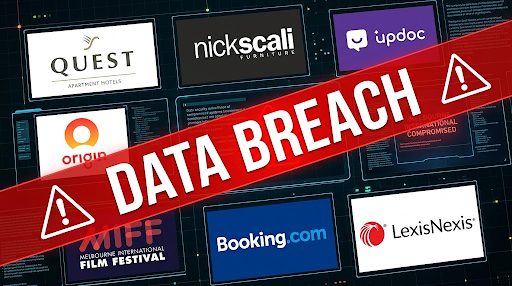
Quest Apartment Hotels (August 2026) Quest confirmed a security incident affecting guest records, with names, emails and other contact details from stays before June 2025 caught up in the breach. If you’ve ever stayed at a Quest property for work travel, it’s worth checking.
Nick Scali (August 2026) The furniture retailer was forced to process orders manually after a cyber attack knocked its systems offline. The attack is believed to be the work of an offshore criminal group demanding a ransom.
Updoc (August 2026) Updoc confirmed a cyber incident that may have exposed customer contact information, including names, emails and postal addresses.
Origin Energy (July 2026) One of the bigger breaches of the year. Origin confirmed almost a million current and former customers were caught up in a data breach, and began contacting affected people directly.
Melbourne International Film Festival, MIFF (June 2026) Hackers claimed to have accessed the details of more than 340,000 MIFF customers, one of the largest single breaches of an Australian cultural organisation this year.
Booking.com (April 2026) A breach linked to a third-party supply chain compromise exposed customer names, emails, home addresses and booking details, and has already been linked to targeted phishing attempts against affected guests.
LexisNexis (March 2026) A major cloud breach hit LexisNexis, a company that supplies legal and government information across Australia. Because so many law firms, courts and agencies rely on LexisNexis data, this one has flow-on risk well beyond its direct customers.
It’s not just 2026, check last year too
Data breaches aren’t a one-year problem. If you haven’t reviewed your accounts in a while, it’s worth looking back at 2025 as well. Some of the bigger names include:
- Qantas – up to six million customers had names, emails, phone numbers, birth dates and frequent flyer numbers exposed after a call centre hack.
- iiNet – over 200,000 customers affected after the broadband provider’s order management system was compromised.
- Hertz – customer personal data and driver’s licence details were stolen after a breach at a Hertz vendor.
How to check if you’ve been caught up in a breach
The good news is you don’t have to guess. There are a couple of ways to check:
- Have I Been Pwned – a free, well-known website where you can enter your email address and see which known breaches it has appeared in. It’s a good first step for anyone.
- A full domain scan for your business – if you run a business, checking one email address at a time isn’t enough. You need to know if any of your staff logins have been exposed anywhere, not just at the companies you already know about.
That second option is something we do for businesses at Sentry Cyber. We run a scan across your entire company domain and put together a free report showing exactly which staff accounts have shown up in known breaches and leaks. If you’d like one done for your business, get in touch with us and we’ll organise it.
What to do right now if you think you’re affected
If you’ve had an account with any of the organisations above, or any other company that’s been breached, do this today:
- Reset the password on that account, and on any other account where you’ve used the same or a similar password. Use a different, strong password for every account, ideally generated and stored by a password manager.
- Turn on multi-factor authentication (MFA) wherever it’s offered. This is genuinely the single best thing you can do to stop a stolen password being used against you.
- Watch for phishing emails that reference the breach. Criminals often follow up a breach with fake “verify your account” emails designed to steal your new password too.
- Check your email account first. If someone gets into your email, they can reset the passwords on almost everything else you own. Your email deserves the strongest protection of all your accounts.
Not all MFA is equal, here’s what actually works
Enabling MFA is good advice, but the type of MFA matters a lot more than most people realise.
SMS and phone call verification are the weakest options. They can be defeated through SIM swapping, where a criminal convinces your mobile provider to move your number to their own SIM card, or through basic phishing pages that capture the code in real time. It’s better than nothing, but it shouldn’t be your only line of defence, especially for accounts that matter.
Authenticator apps and hardware security keys are far stronger. An app-based code (like Google Authenticator or Microsoft Authenticator) or a physical security key can’t be intercepted the same way a text message can. If a service gives you the choice, always pick these over SMS.
Enforcing MFA in Google Workspace
If you run your business on Google Workspace, don’t leave MFA as an optional setting for staff to turn on themselves. Most people won’t, until it’s too late. As an admin, you can enforce MFA across your entire organisation from the Google Admin console, meaning every staff account requires a second factor to log in, no exceptions. This one setting closes off one of the most common ways businesses get compromised through a single reused or stolen password.
Google Advanced Protection Program for high risk accounts
For your highest risk accounts, think admins, finance staff, and management, standard MFA still isn’t enough. Google’s Advanced Protection Program is built specifically for people who are more likely to be targeted. It requires physical security keys to log in, blocks most third-party app access, and adds extra scanning for malicious downloads and phishing. If you’re an admin or an executive, this is worth setting up on your own account today.
Don’t wait to end up on this list
Every business on the 2026 list above didn’t expect to make the news. Most of them found out about their breach the same way everyone else did, from a hacker’s claim or a customer complaint, not from their own security tools catching it first.
At Sentry Cyber, we help Australian businesses find and fix the gaps before someone else finds them for you. That includes:
- Penetration Testing – our team actively tries to break into your systems the same way a real attacker would, so you find the weaknesses first.
- Vulnerability Assessments – a thorough scan of your systems and network to identify known weaknesses before they can be exploited.
- Security Monitoring – ongoing detection and response so if something does happen, you catch it in hours, not months.
Get your free breach exposure report
Want to know if your business’s staff logins have already shown up in a data breach? Contact Sentry Cyber and we’ll run a free report across your company domain and talk you through what it means and what to do next.